A focused workflow for the platform you already trade on.
CopyFleet for multi-account MT5 operations
Trade once.
Run every account as one operation.
Organize accounts, control how every follower copies, and understand the result—without rebuilding the same workflow across terminals.
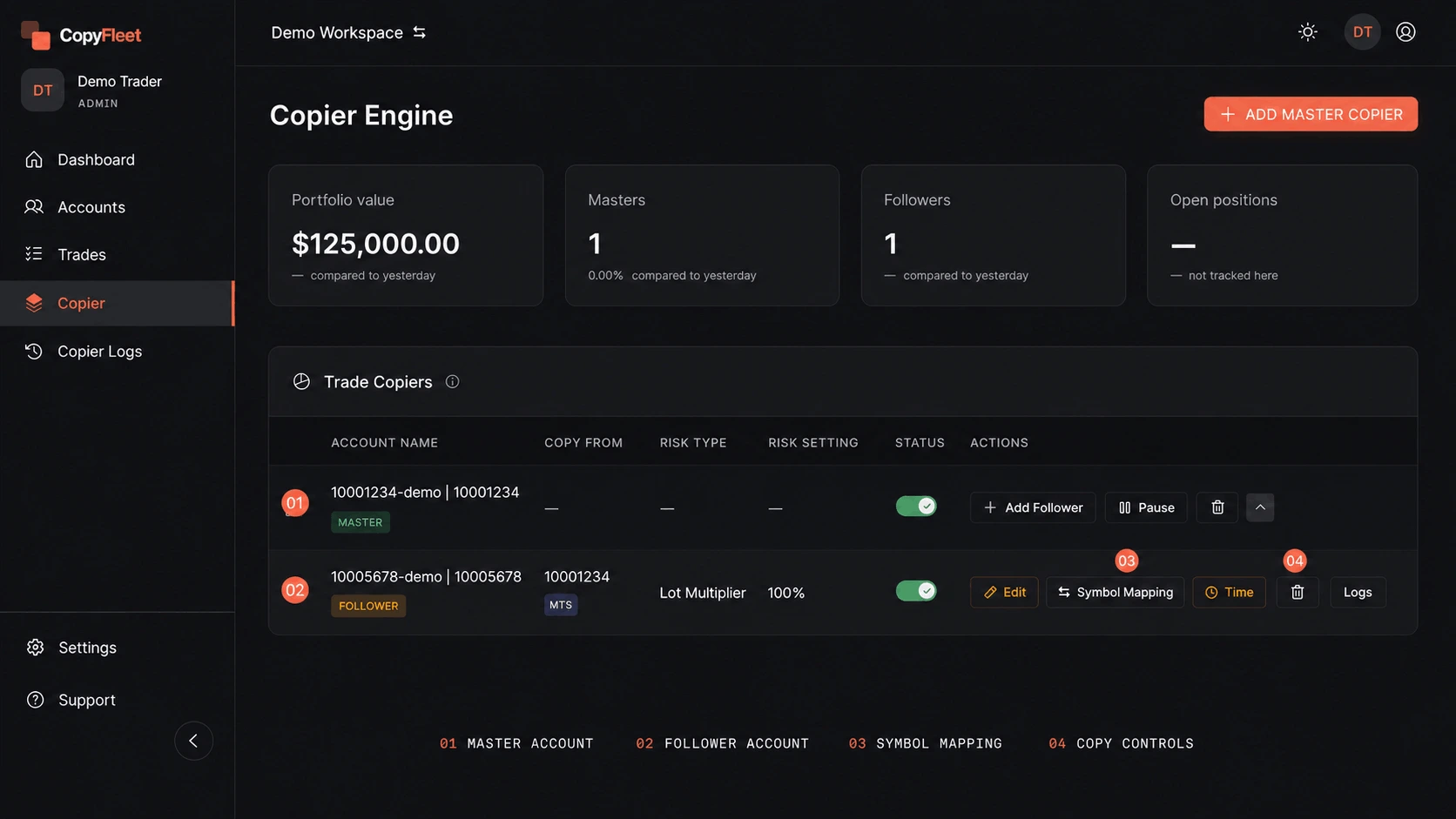
Master account → follower-specific rulesMT5 only / Fictional demo data
Map different symbol names between connected accounts.
Size, filter, pause, or reverse each follower separately.
No separate VPS rental or local terminal setup.
The operating system
One connected workflow.
CopyFleet turns a collection of MT5 accounts into a structured operation. Every part of the page follows the same journey a trader takes—from organizing access to reviewing performance.
- 01Organize
- 02Connect
- 03Replicate
- 04Review
01 / Organize
Structure before scale.
Separate strategies into workspaces, then give each person only the access they need. Accounts, copier relationships, and member permissions stay inside a clear operating boundary.
Customer outcomeMore accounts do not have to mean shared passwords, mixed strategies, or unclear responsibility.
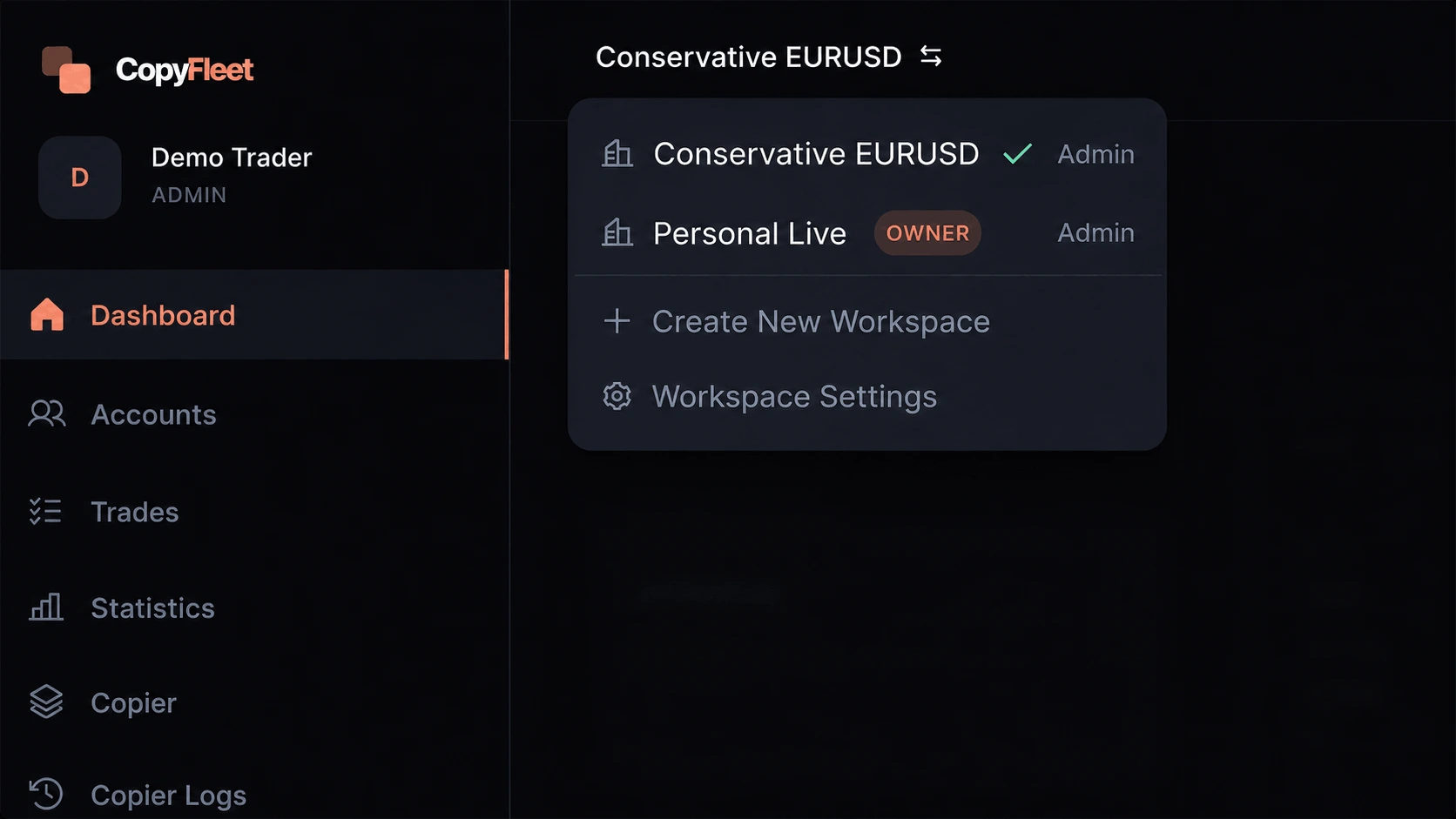
Workspace
Separate every strategy.
Switch contexts without mixing account groups, copier configurations, or member access.
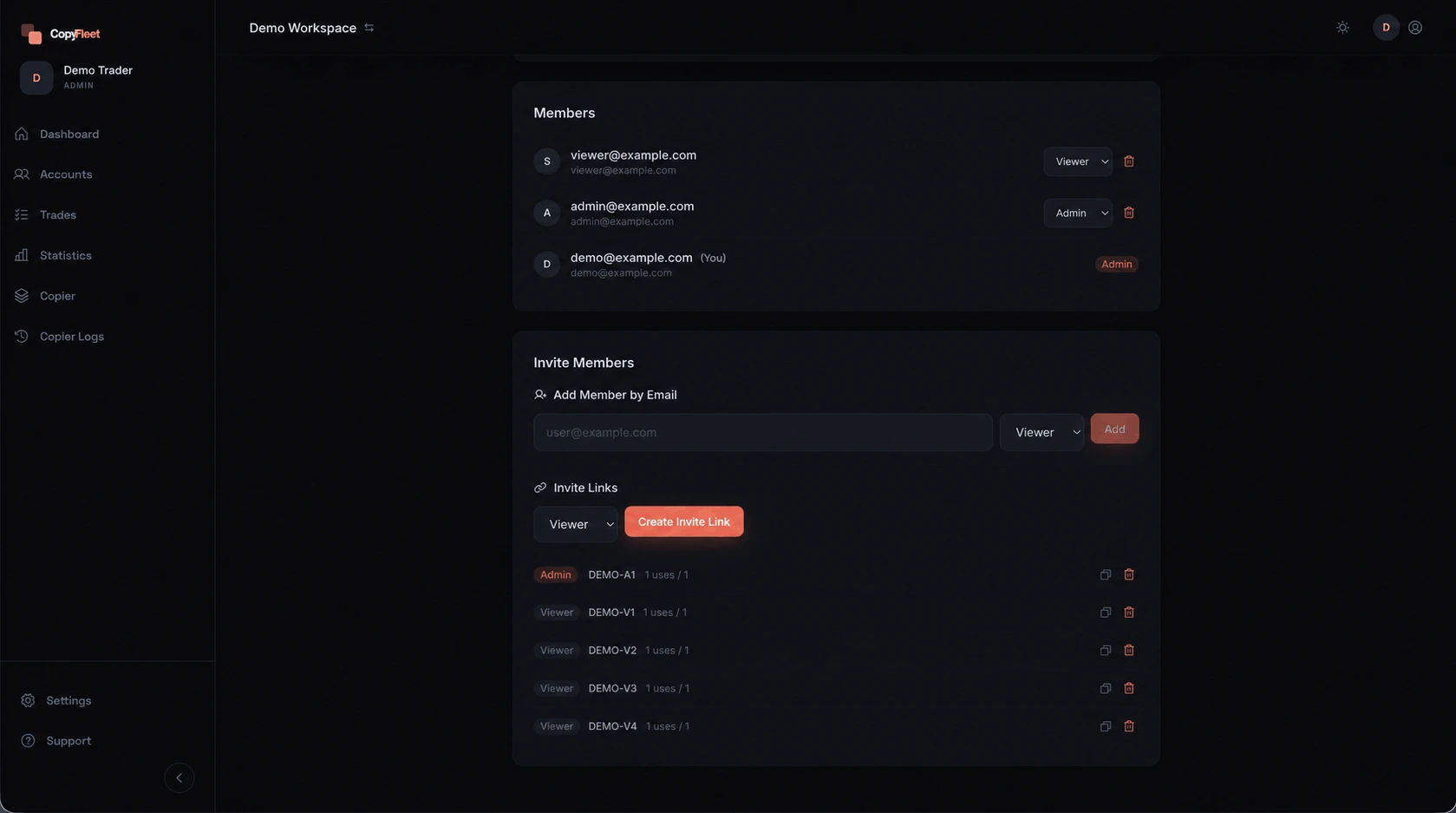
Team & members
Share access, not passwords.
Use Admin, Trader, and Viewer roles to define what each member can see and control.
02 / Connect
Add MT5.
Keep control.
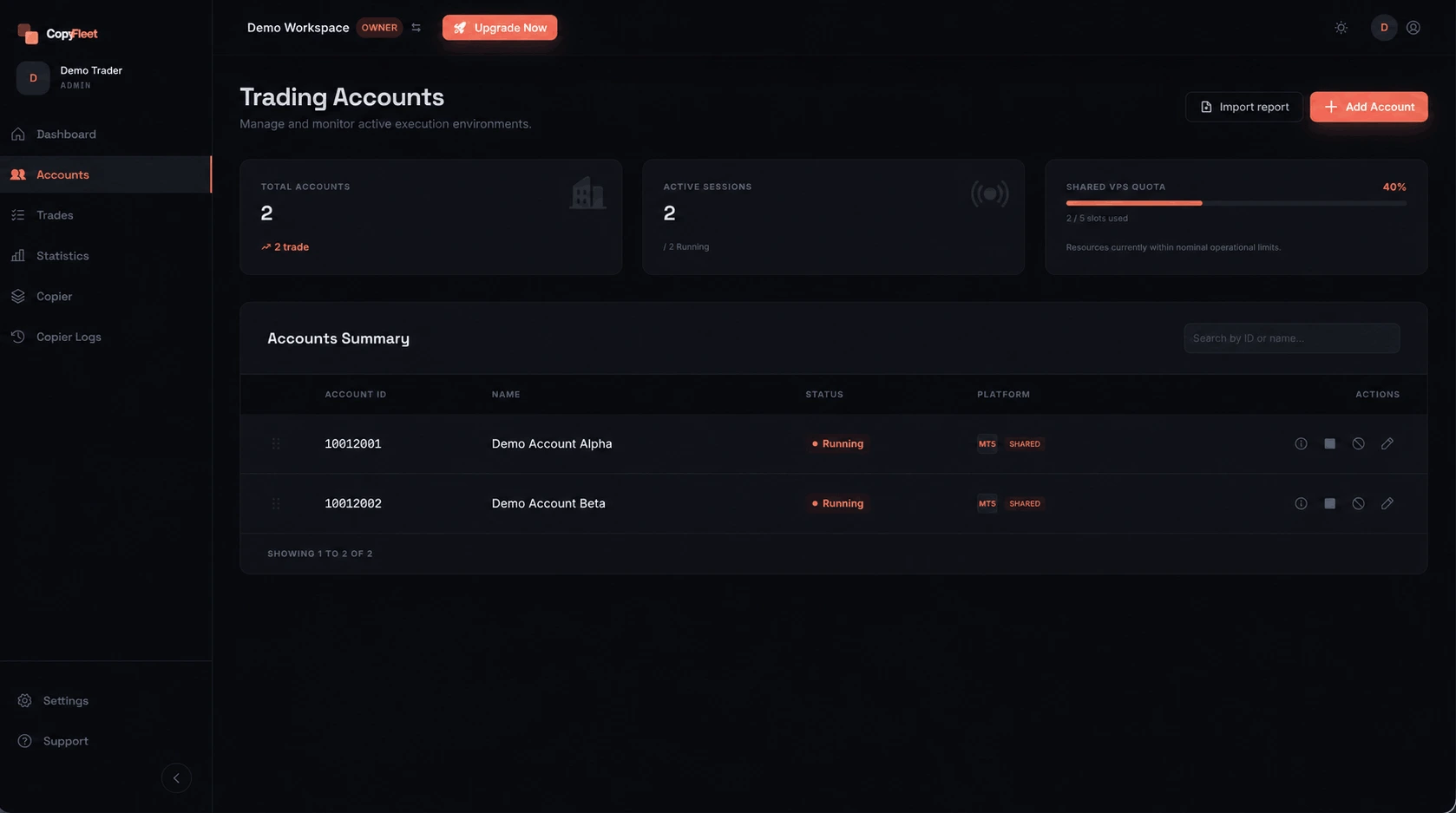
Connect an account with its login and broker server. CopyFleet operates the shared execution environment while account-level status and actions stay visible.
- 01Start, stop, or restart account sessions.
- 02See connection and shared-capacity status.
- 03Use Close All for immediate account-level action.
03 / Replicate
One source. Every follower, intentional.
This is the center of CopyFleet. Connect one Master to multiple Followers, then decide exactly how each account should interpret the trade—even when broker symbols differ.
Customer outcomeA single strategy can travel across accounts without forcing every follower into the same risk or symbol configuration.
Multiplier
Scale the Master lot by a defined multiplier.
Fixed Lot
Always open a defined lot size.
Equity Sync
Scale proportionally to each account balance.
Map names between supported brokers.
Control direction, magic number, comments, and permitted trades.
Limit copying by schedule or add an execution delay.
Choose how protective levels are copied and managed.
Define whether pending orders travel to a follower.
Pause, reverse, close strictly, or inspect follower logs.
04 / Review
See the whole. Understand the details.
Move from the current state of the workspace into the trades, symbols, days, and patterns that produced it. Monitoring and learning belong in the same workflow.
Customer outcomeFewer terminal checks for the current picture, with deeper context when a result needs investigation.
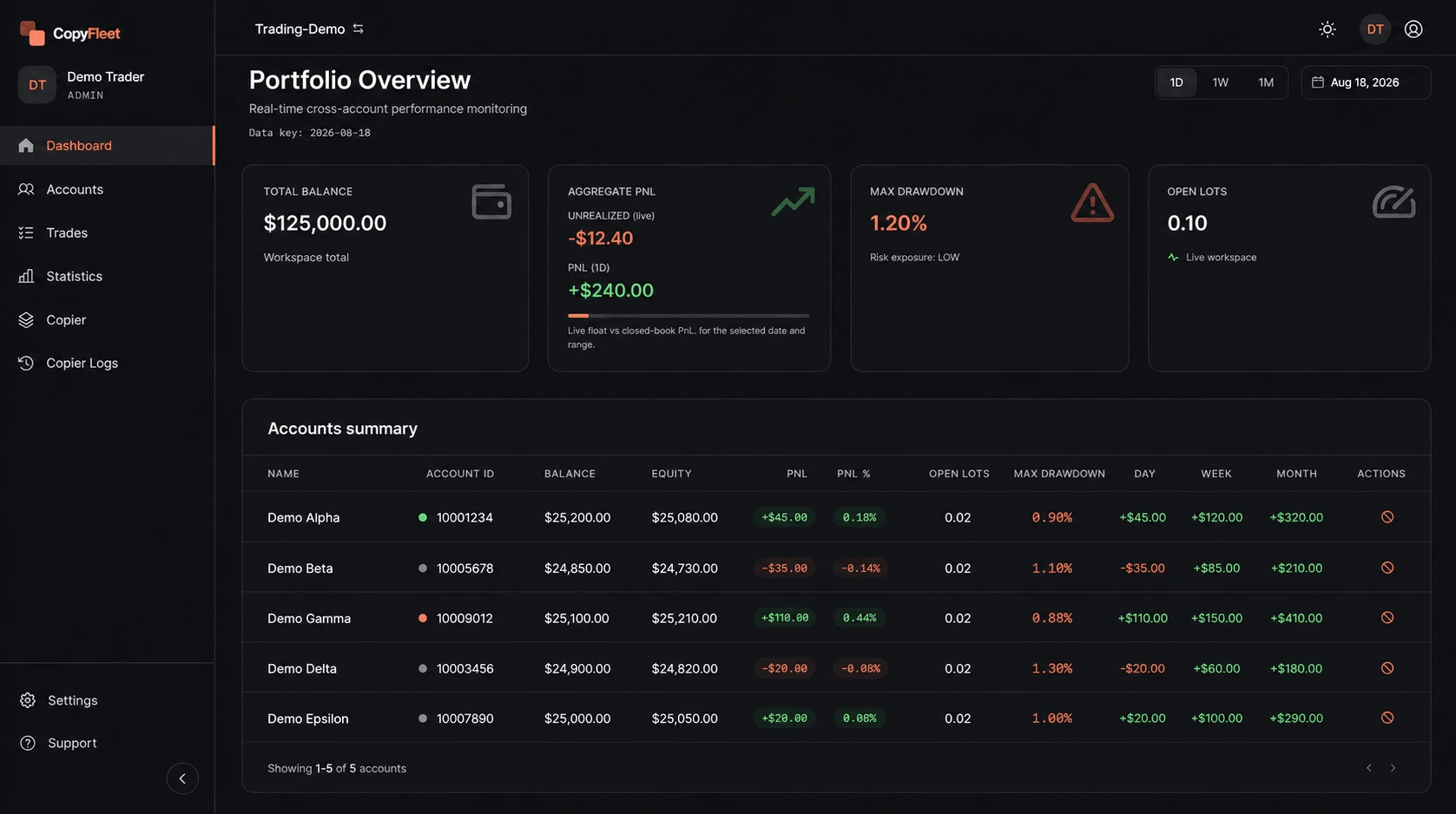
Every account. One view.
Review aggregate balance, PnL, drawdown, open lots, and per-account status without opening each terminal.
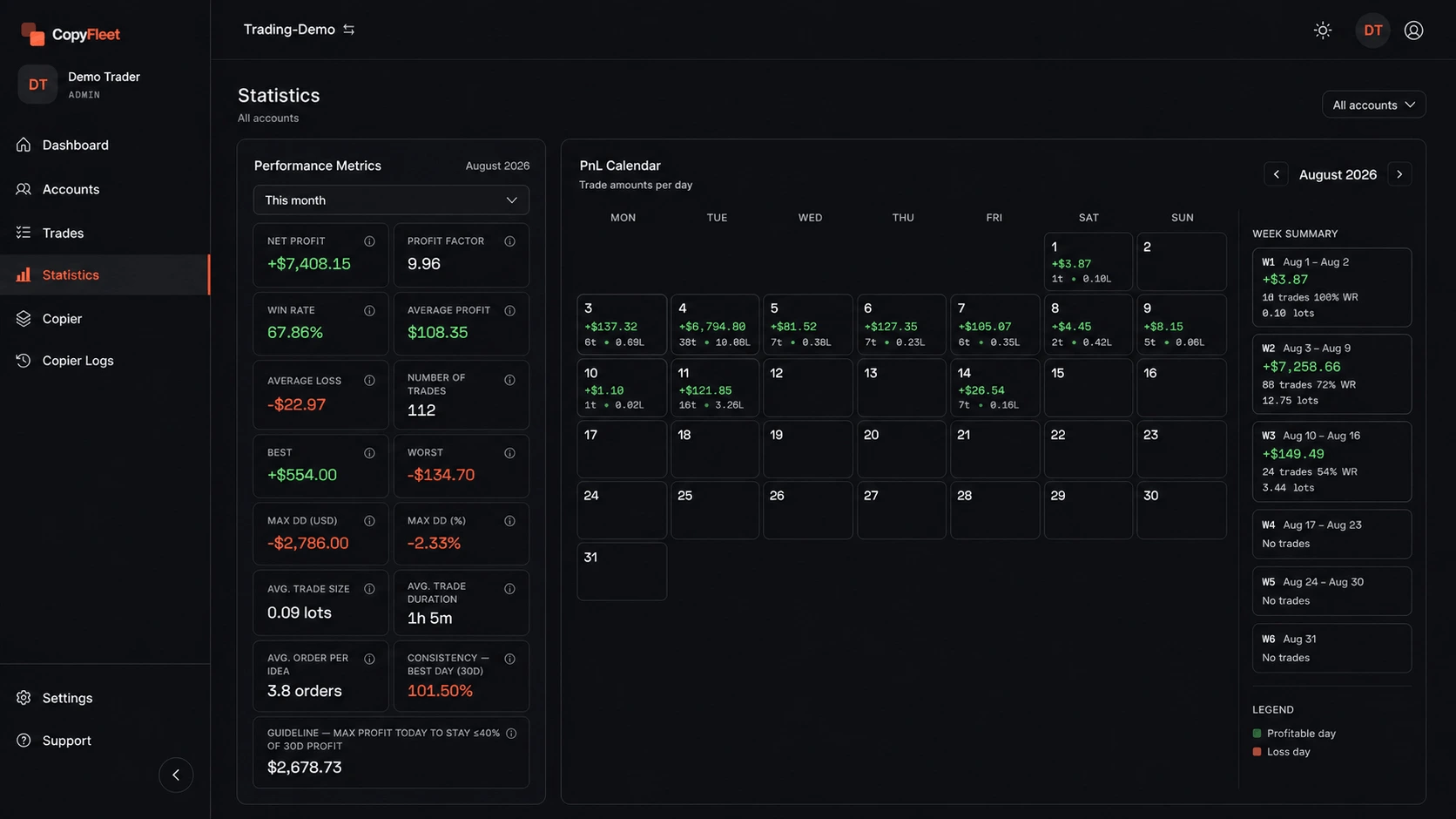
Understand what produced it.
Inspect ticket history, profit factor, win rate, drawdown, calendar PnL, symbol analysis, and imported MT5 history.
05 / Managed infrastructure
The environment runs behind the workflow.
- 01Automatic assignment when an MT5 account is added.
- 02Session and capacity status visible inside Account Management.
- 03No separate VPS dashboard, rental, or local terminal installation.
- 04No always-on personal computer required.
CopyFleet app
Ready to run your strategy at scale?
Open CopyFleet to connect your MT5 accounts and start copying across brokers.